![Bedrock_Learning_Logo_Mark_Reverse_RGB_1920px@72ppi.png]](https://help.bedrocklearning.org/hs-fs/hubfs/Bedrock_Learning_Logo_Mark_Reverse_RGB_1920px@72ppi.png?height=50&name=Bedrock_Learning_Logo_Mark_Reverse_RGB_1920px@72ppi.png)
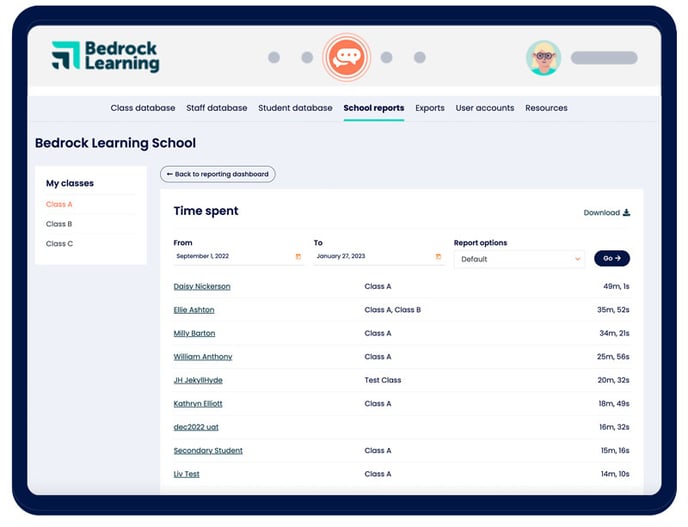
"Time spent" records the time a learner is active in a lesson. You can view a live leaderboard of time spent by your learners by navigating to "School Reports" and then clicking on the "Time Spent Leaderboard" report.
This report can be filtered by cohort of learning group if you wish.
 How is it calculated?
A learner's time will be recorded from the moment they click continue to access their curriculum content to the point they either logout or close their browser.
If the learner leaves their device and hasn’t logged out, the platform will automatically stop recording the time spent after 10 minutes of no activity. You can be assured that "time spent" reflects active time within Bedrock Learning.