![Bedrock_Learning_Logo_Mark_Reverse_RGB_1920px@72ppi.png]](https://help.bedrocklearning.org/hs-fs/hubfs/Bedrock_Learning_Logo_Mark_Reverse_RGB_1920px@72ppi.png?height=50&name=Bedrock_Learning_Logo_Mark_Reverse_RGB_1920px@72ppi.png)
There are two ways you can ensure your information is updated. The first (and easiest) is to automate the task via a connection with Wonde. Alternatively, you can do it manually.
Wonde
- If we are connected directly to your school MIS via Wonde you don't need to do anything if all classes accessing Bedrock stay the same. To learn more about Wonde, click here.
- Updates are synced nightly, so If a new learner has joined your school, you will be able to see them in your Bedrock user accounts tab the following day.
- As long as everything is kept up to date on your school's own MIS, there should only be a 24-hour delay.
- If you need the information sooner or there is any change to the classes we are linked to, let your account manager or our support team know and we can sync manually.
- Changes can including things like
- a new class to add
- your data manager has created new classes with the same name
- you have decided to monitor Bedrock through multiple subjects or forms
Manual updates
If you manually update your data, your Bedrock Lead Teacher can add learners or staff from their dashboard. If there are multiple changes, your account manager can send you a spreadsheet export of your current data for you to update.
To add a new learner from your dashboard.
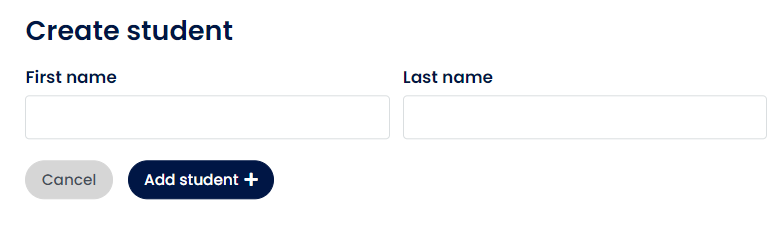
- Open the student database tab and click on the 'Add Student' button.

Then complete the form and select 'Add student +'.
- The student's account will open and you can complete the form by selecting "edit".
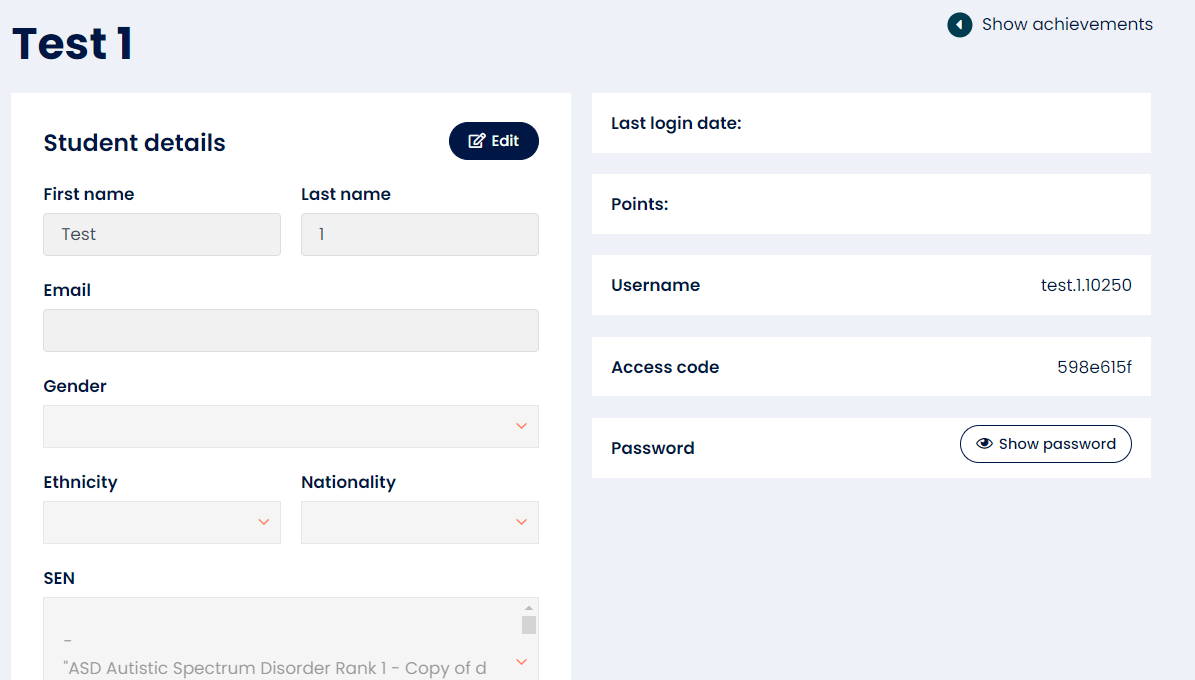
- Please complete as much information as possible, especially URN and Year Group fields.
- Then add the class name(s) they should be assigned to.

- Any Bedrock curriculum content assigned to that class will automatically be assigned to the new learners.