![Bedrock_Learning_Logo_Mark_Reverse_RGB_1920px@72ppi.png]](https://help.bedrocklearning.org/hs-fs/hubfs/Bedrock_Learning_Logo_Mark_Reverse_RGB_1920px@72ppi.png?height=50&name=Bedrock_Learning_Logo_Mark_Reverse_RGB_1920px@72ppi.png)
- Log into your Bedrock teacher portal (click here to do so)
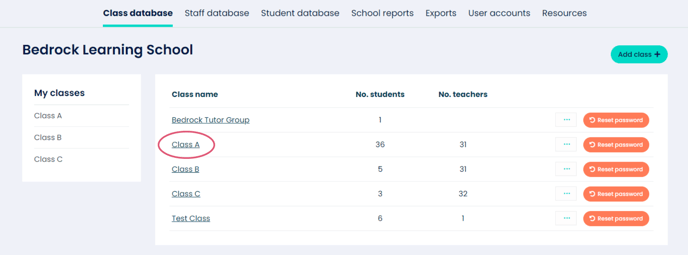
- Click on the class that your learner is in (for example "Class A" as shown in image 1).
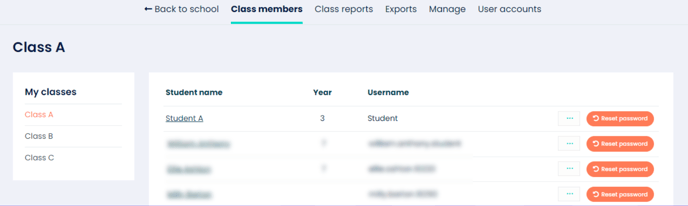
- Click on the learner's name to access their profile.
-
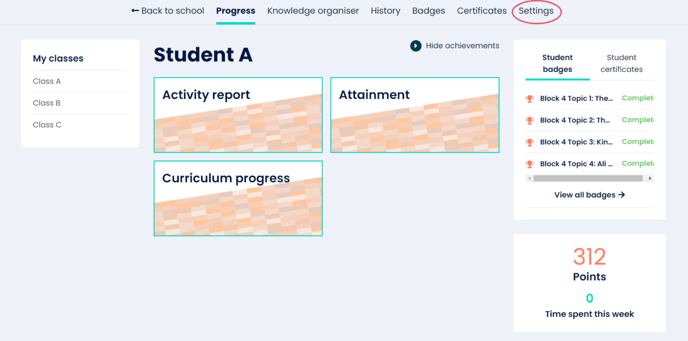
Navigate to the ‘Settings’ tab.
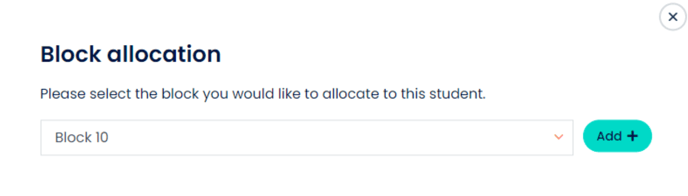
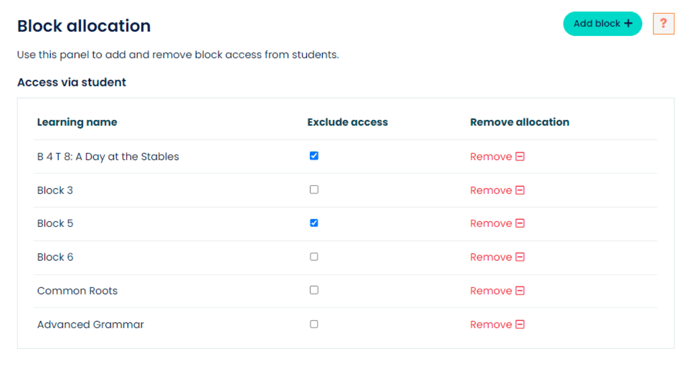
- Navigate down the page to the Block allocation section and click the ‘Add Block’ button (as shown in image 4).
- Select the Block you would like to add to this learner and click ‘Add’.
- Repeat as applicable for other learners.
NOTE: Click here to see how to apply a content block to an entire class.
⬇️
⬇️
⬇️
⬇️