![Bedrock_Learning_Logo_Mark_Reverse_RGB_1920px@72ppi.png]](https://help.bedrocklearning.org/hs-fs/hubfs/Bedrock_Learning_Logo_Mark_Reverse_RGB_1920px@72ppi.png?height=50&name=Bedrock_Learning_Logo_Mark_Reverse_RGB_1920px@72ppi.png)
- Log into your Bedrock teacher portal (click here to do so)
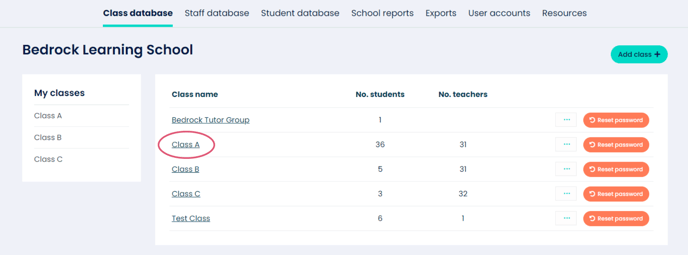
- Click on the class you want to add a block to (for example "Class A" as shown in image 1).
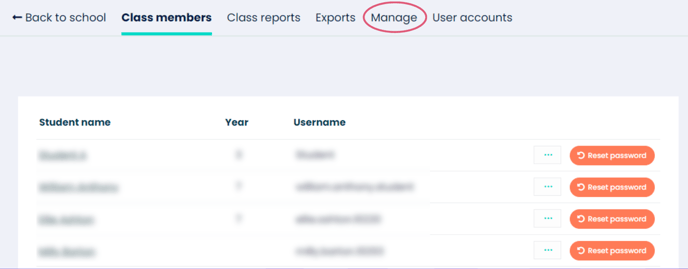
- Click on the "Manage" tab.
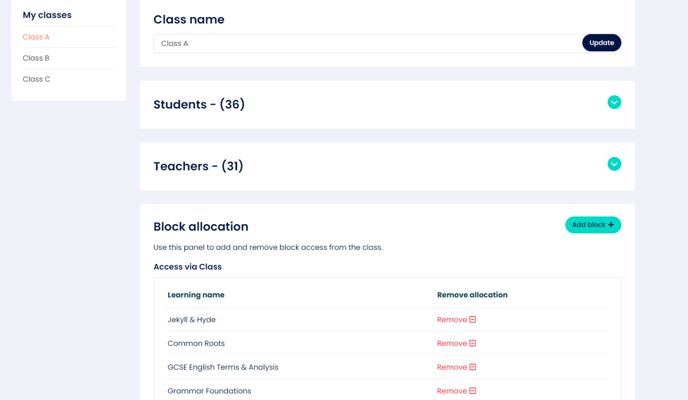
- Navigate down the page to the Block allocation section and click the ‘Add Block’ button (as shown in image 3).
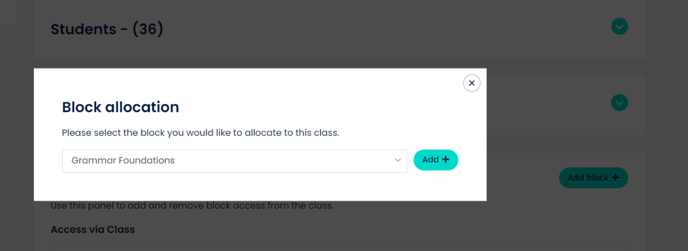
- Select the Block you would like to add to this class and click ‘Add’.
NOTE: By adding this new block, all current learners in your class (and any new ones that join throughout the year) will have access to this learning in their student dashboard. Any new learners added will not have access to the placement test.
⬇️
⬇️
⬇️