![Bedrock_Learning_Logo_Mark_Reverse_RGB_1920px@72ppi.png]](https://help.bedrocklearning.org/hs-fs/hubfs/Bedrock_Learning_Logo_Mark_Reverse_RGB_1920px@72ppi.png?height=50&name=Bedrock_Learning_Logo_Mark_Reverse_RGB_1920px@72ppi.png)
Each of your learners has a guardian access code assigned to them to support learning at home. Parents or guardians can use this code to sign up for an account to follow how their child is doing. Here is more on that.
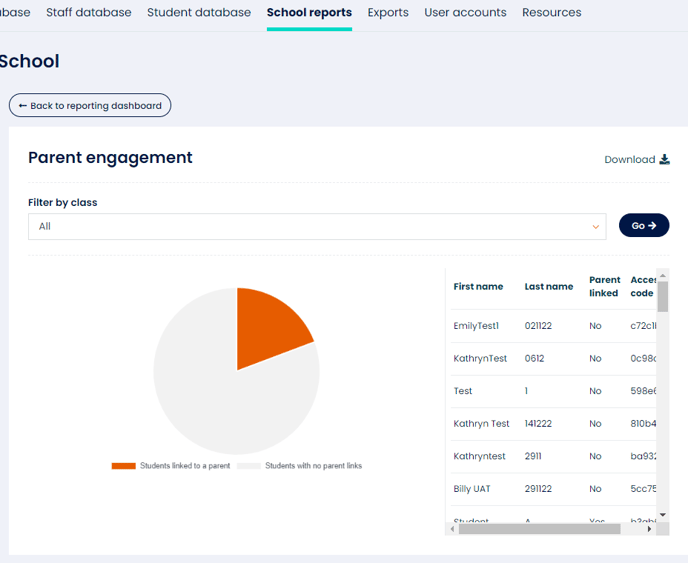
- You can easily monitor which guardians have signed up by running a class or school-level parent engagement report within your "School Reports" area.
- This report can be filtered by class if needed.
- To follow up with parents who still need to sign up, download their access codes and use our template letter to send them home.
TIP: Why not incentivise your staff to follow up with parent access? Maybe a staff shout-out and a possible prize for the first class to have all learners showing a linked guardian.
For more information on how to share access codes, check out our article or speak to your account manager or the support team at support@bedrocklearning.org.