![Bedrock_Learning_Logo_Mark_Reverse_RGB_1920px@72ppi.png]](https://help.bedrocklearning.org/hs-fs/hubfs/Bedrock_Learning_Logo_Mark_Reverse_RGB_1920px@72ppi.png?height=50&name=Bedrock_Learning_Logo_Mark_Reverse_RGB_1920px@72ppi.png)
If the school your child attends uses Bedrock, supporting them at home is easy. You can view their progress by activating your Guardian account.
To do this you will need your unique access code. If you haven't received your access code yet, ask your child's school.
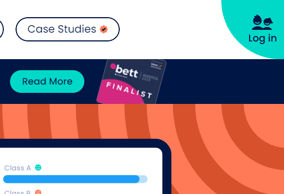
- Go to www.bedrocklearning.org and select the 'Log in' icon.
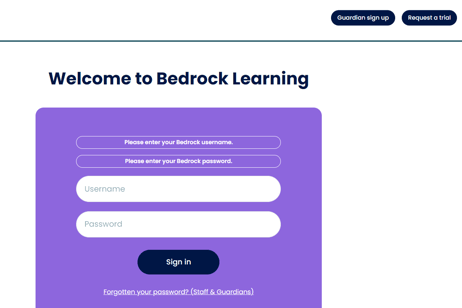
- You will be directed to the log in page, select the 'guardian sign up' icon.
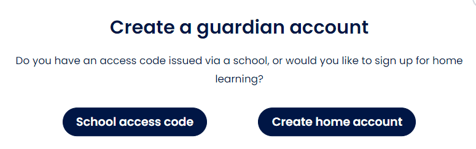
- Select 'school access code'.
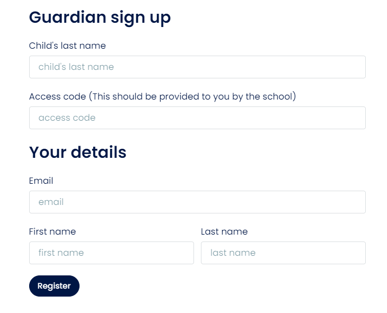
- Fill in the form.
- You will receive an activation email in your inbox to complete the sign-up process.
TIP: Once you're all set up, you can link your Bedrock Guardian account to your existing Microsoft or Google login if you have one (for one less password to remember!)
NOTE: If you do not, be sure to make a note your auto-generated Bedrock login details, which you can find in the settings tab of your dashboard.
NOTE: We also offer home subscriptions if your child doesn't use Bedrock at their school. Setting up a free trial is easy, and you can pay monthly or annually.